30 rings, radius 70, gold font on black — 320×200 with 2×2 pixel zoom — bouncing with wall squish
Circular Text Scroller — © 1993 Christian Cohnen
30 rings, radius 70, gold font on black — 320×200 with 2×2 pixel zoom — bouncing with wall squish
The CircleScroller maps scrolling text onto concentric rings, creating a circular tunnel of characters. Each ring is drawn at a decreasing radius from the outer edge inward, with the scroll text mapped around each ring at different angular offsets. As the scroll counter advances, the text appears to spiral around the circle. The effect was originally written in Borland Pascal for VGA Mode-X (320×200, 4 bitplanes) and used pre-computed sine/cosine lookup tables for speed on 386/486 CPUs.
The original code made heavy use of x86 assembly — both as large inline asm blocks within Borland Pascal and as separately assembled .OBJ files linked via {$L} directives.
The rendering inner loop was written entirely in assembly to directly address the four VGA bitplanes (ports $3C4/$3CE), performing per-pixel lookups from the pre-computed circle mapping table and the scroll buffer through segment register switching (push ds / mov ds,bufseg / ... / pop ds).
Additional assembly routines in FASTCIR.ASM and SHADE2.ASM provided polygon fill, screen copy, and clear operations optimized for 386 protected-mode instructions (stosd, movsd, 32-bit registers).
Even basic operations like disabling/enabling interrupts (CLI/STI) and toggling the VGA attribute controller for screen blanking used Pascal inline() assembly.
This was a popular effect in the PC demoscene of the early 1990s. The circular mapping creates a sense of 3D depth using only 2D operations — the inner rings act like the far end of a tunnel while the outer rings appear closest to the viewer.
Originally Borland Pascal / VGA Mode-X (1993). The JavaScript/Canvas port uses the same ring-based algorithm
but renders into an HTML5 <canvas> via ImageData with 2×2 pixel doubling for the classic chunky look.
| Name | Type | Description | Default |
|---|---|---|---|
text | string | Scroll text (or use #scrolltext element) | – |
rings | int | Number of concentric rings | 30 |
radius | int | Outer ring radius in pixels (internal res) | 70 |
speed | float | Scroll speed (pixels per frame) | 1.6 |
bgcolor | string | Background color (CSS) | "#000" |
bounceSpeed | float | Bounce velocity in px/frame | 0.7 |
On startup, sine and cosine lookup tables are built for 1440 angle steps (one full revolution):
for i = 0 to 1439:
  sintab[i] = sin(i / 720 * pi)
  costab[i] = cos(i / 720 * pi)
The scroll text is pre-rendered into a linear pixel buffer (all characters side by side, 32 pixels tall). Each frame the circle center bounces off the canvas walls. When it hits a wall, inner rings shift away from the impact for a squish effect. For every ring and angle step:
bounceCenter += velocity
if wall hit: reflect velocity, compute penetration

for ring = 0 to rings-1:
  ringRadius = outerRadius - ring
  for angle = gap to 1439-gap:       (skip 5 deg at bottom)
    localX = centerX + sin[angle] * ringRadius
    localY = centerY + cos[angle] * ringRadius
    screenX = boxX + localX + lineShift[localY]
    screenY = boxY + localY + colShift[localX]
    scrollCol = (scrollWidth - angle/4 + counter) % scrollWidth
    pixel = scrollBuffer[scrollCol + ring * scrollWidth]
if pixel is not black: plot(screenX, screenY, pixel)for ii:=0 to 29 do { 30 rings }
for i:= 0 to 1439 do { 1440 angle steps }
begin
pix:=mem[vgaseg:((360-(i shr 2))+counter) mod 360+yy];
divisor:=winkelauf div (70-ii);
setpix(50+ii+(sintab[i] div divisor),
40+ii+(costab[i] div divisor), pix);
end;<canvas id="game" width="640" height="400"></canvas>
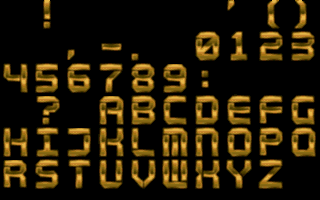
<img id="fontImg" src="cir_font.gif" style="display:none">
<script>var CIRCLESCROLLER_CFG = {
text: "HELLO WORLD - CIRCLE SCROLLER - "
};</script>
<script src="circlescroller.min.js"></script>